CARA · a module of Netsocs Synergy

Stop managing alarms. Start managing situations.

CARA turns the signals your systems already send into one situation, guides the response step by step and records what happened.

The same door, two ways

One forced door. Five signals.

Same night, same signals, same operator. What changes is how the work is organized.

  1. Door 17 forcedIntrusion panel
  2. Motion, zone 4Motion sensor
  3. Access deniedAccess control
  4. Person detectedVideo analytics
  5. Door 17, againIntrusion panel

Five alarms. Several screens. One person.

The operator opens the system, the account, the camera, the schedule, the procedure and the contact list, decides, and documents afterwards.

  • Which camera?
  • Whom do I call?
  • Is it real?
  • Can I close it?

Places to look

  1. System
  2. Account
  3. Camera
  4. Schedule
  5. Procedure
  6. Contacts
  7. Decision
  8. Documentation

That is not monitoring. It is searching.

One situation, with its context.

SituationPerimeter · Door 17, rear door

Five related signals. Each link says why: same account within 300 seconds.

  • FACTSite: closed
  • UNKNOWNArmed state

What is not known stays unknown.

Next stepVerify visual evidence

Did you confirm a person?

YesNoNot sure
  1. Door forced
  2. Context built
  3. Guided response
  4. Responsible person contacted · recorded

One path. The context arrives with the alarm.

Illustrative scenario. Times and names are example data.

How a situation is handled

From the first signal to the recorded result.

  1. Signals become a situationRelated signals from panels, access control, video and IoT are grouped, and each link says why.
  2. A guided procedureYour procedure, one step at a time. “I am not sure” is a valid answer, so nobody has to guess.
  3. Automation you controlPer procedure: observe, assist (a person confirms) or act (runs what you authorized). Automation has its own account, is always labeled automatic and cannot close alarms by default.
  4. Communication and escalationCall, message and escalate from the same screen, following the procedure.
  5. Field dispatch, when it appliesDispatching a resource is an action in the procedure. Field teams with their own mobile app are the subject of Netsocs Dispatch, a separate concept in design. About Netsocs Dispatch
  6. Evidence and SLAA timeline written as it happens: signals, facts and actions, each with its device, rule or person. Versioned SLA timers and quality control on every closure.

The real console

What the operator sees.

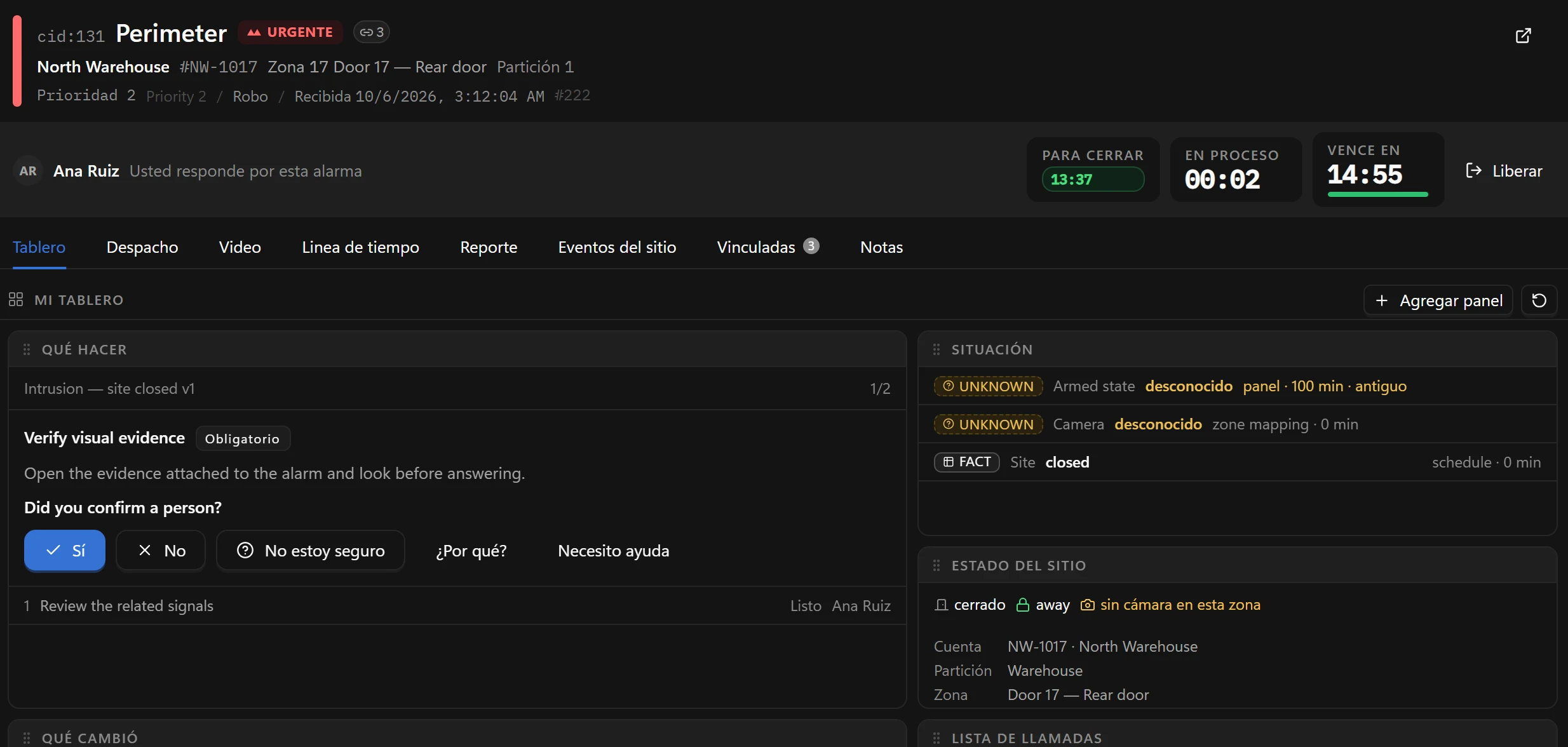
CARA console showing a Perimeter alarm at North Warehouse with a guided step, the situation, the site state and SLA timers.
The situation board: the next step, what is known, the state of the site and the SLA timers.
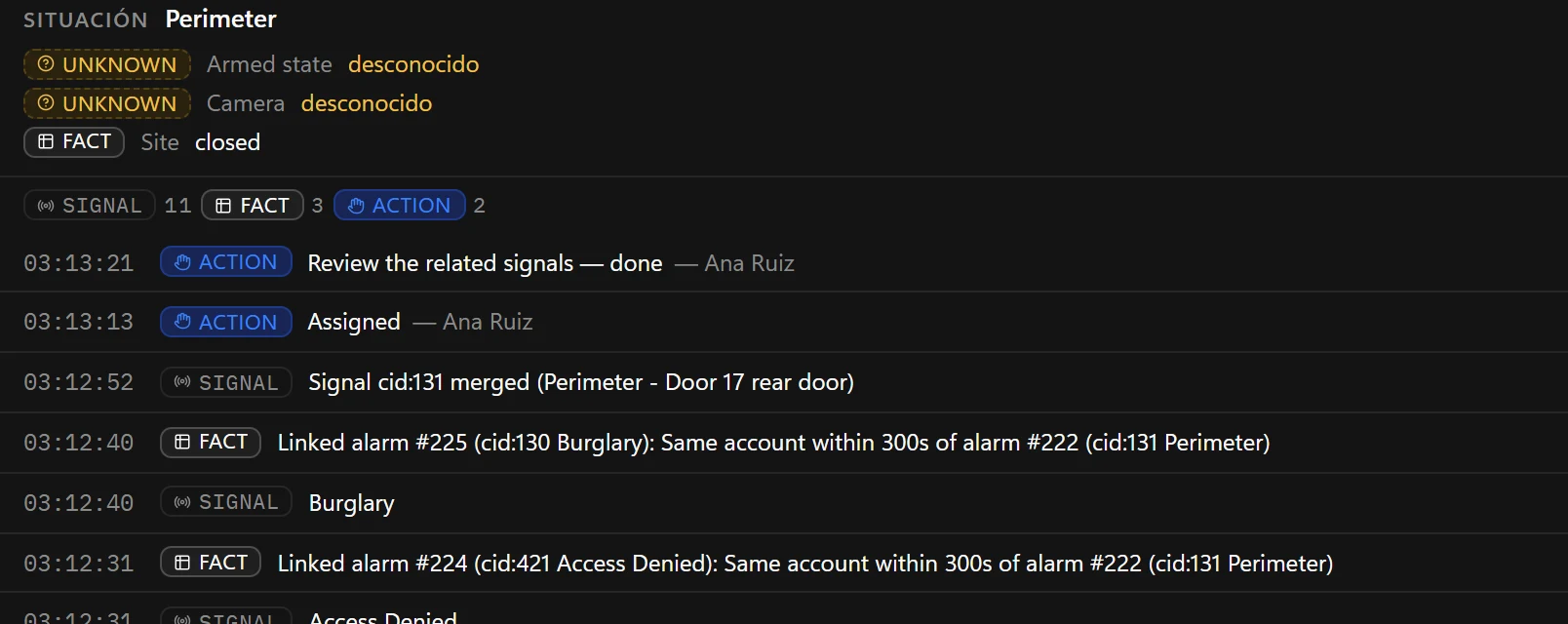
CARA situation timeline listing signals, facts and actions with timestamps, such as linked alarms on the same account within 300 seconds.
The timeline: signals, facts and actions in order, each with its reason.

Real CARA console, demonstration data.

One operation, three views

Operator. Supervisor. Director.

Operator

Knows what to do next.

A prioritized queue with context, the next step of the procedure, and call, message and dispatch actions.
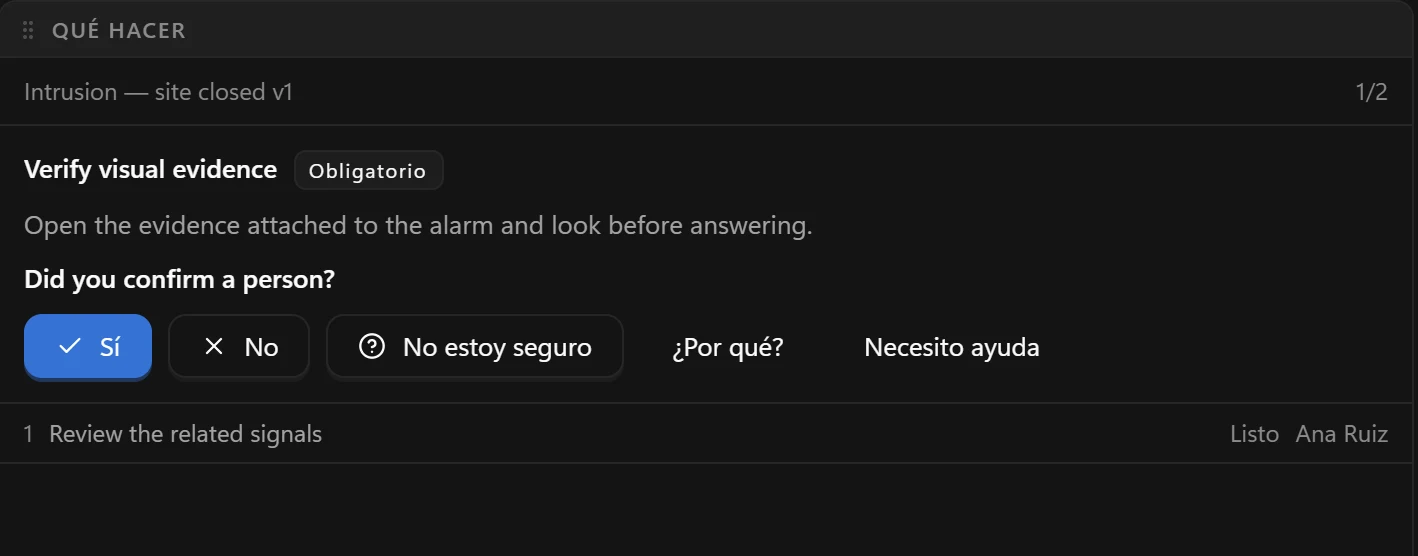

The CARA console: a situation with related signals, what is known and unknown, and the next step of the procedure.

Supervisor

Sees how the shift is going.

SLA times and breaches, alarms per operator, quality control and handovers.
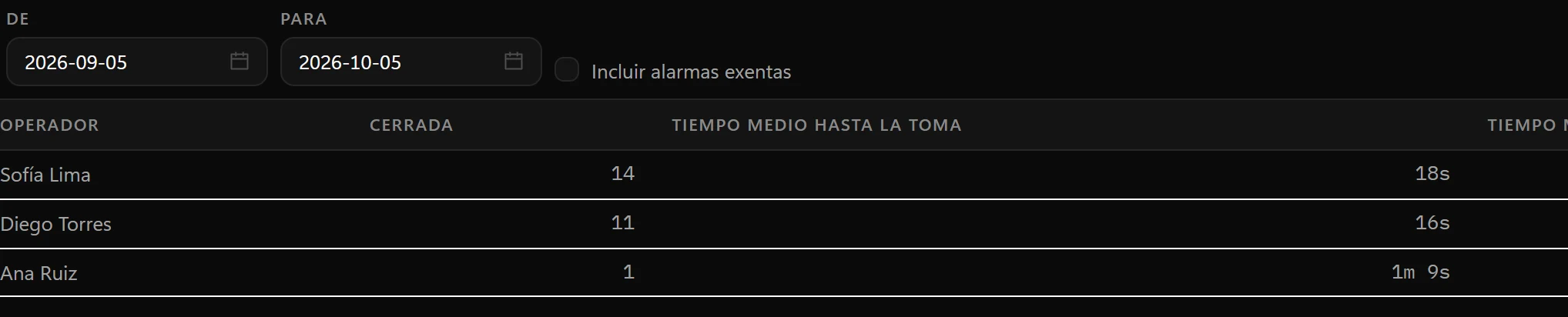
CARA supervisor view: closed alarms and average time to intake per operator.

Director

Measures the operation.

Volume, response and SLA compliance, false alarms per account, standard reports with CSV export.
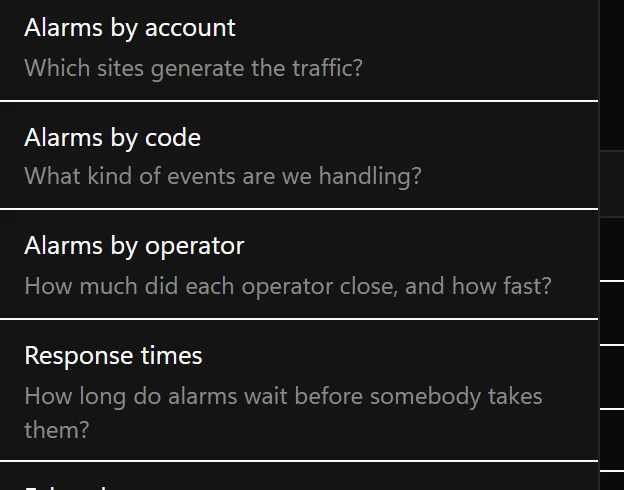
CARA report list: alarms by account, by code, by operator and response times.

Measure it

Measurable from the first day.

CARA reports volume, intake time and SLA compliance from the first day in production, so the improvement is yours to prove, not ours to claim.

No saving is promised. Results depend on your process and configuration.

  • Intake timeAverage, median and 90th percentile
  • Handling timePer operator
  • SLA complianceIntake, first contact and closure
  • Operator actionsPer operator and type of action
  • Alarm volumeWith SLA breaches
  • False-alarm ratePer account

Part of the platform

A module of Netsocs Synergy.

Synergy connects the systems, CARA organizes the response and A.T.O.X. orchestrates automation where it applies. CARA does not need an alarm receiver of its own.

  • Cloud, on-premises or hybrid
  • Start with one alarm type at one site
  • Test signals and flows before going live

Bring us your worst night.

Share one real incident and we will walk through it in CARA.

Request a demo

Feature availability may vary by version and deployment.